

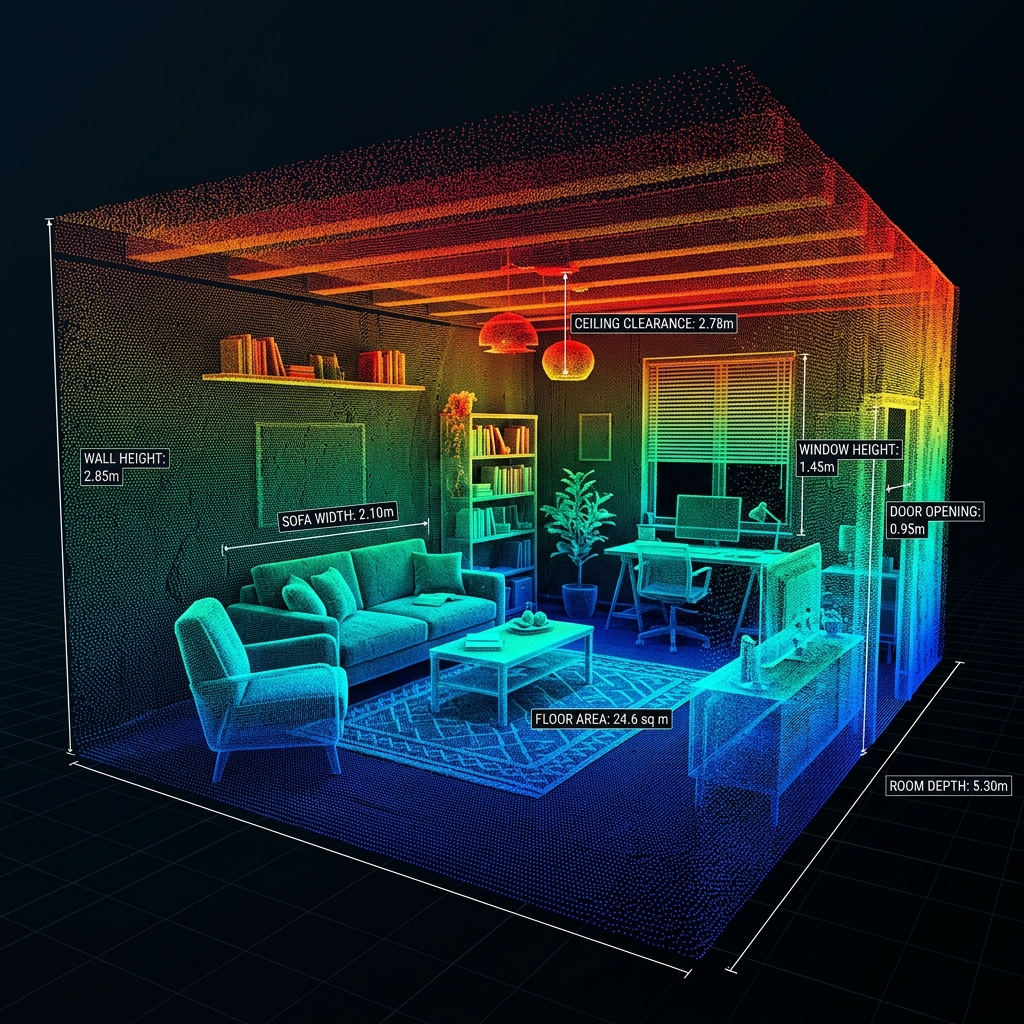
Map every structure in 3D
iPad LiDAR captures accurate point clouds and floor plans of any room or structure. Tag measurements, defects and photos to their exact spatial location to build a complete digital record.
From point cloud to spatial record
iPad LiDAR gives you millimetre-accurate spatial data. The platform turns it into something an inspection report can stand on.
Room scanning (RoomPlan)
Apple RoomPlan captures a full 3D floor plan of any room in minutes. Floor area, ceiling height, wall lengths and door and window positions are extracted automatically.
- Floor area auto-calculated
- Ceiling clearance measured
- Door and window detection
- Multi-room stitching
Object & surface capture
Scan individual structural elements — columns, beams, slabs, wall panels — to capture their exact geometry. Surface deviation from a reference plane is computed with RANSAC plane fitting.
- Sub-millimetre surface profiling
- RANSAC plane fitting
- Deviation heatmap overlay
- Export to GLB / USDZ
Point cloud visualisation
View the captured point cloud in an interactive 3D viewer, in the iOS app and in the web portal. Rotate, pan and zoom into any part of the model.
- WebGL 3D viewer
- Full point cloud display
- Colour by elevation
- Browser-based, no install
Geo-tagged measurements
Pin any measurement — corrosion reading, moisture level, defect photo — to its exact location in the 3D model. Measurements are spatially indexed to the point cloud.
- 3D pin placement
- Linked to measurement data
- Visible in the web portal
- Exportable with coordinates
Multi-layer integration
Overlay environmental data, heatmaps and defect annotations on the 3D model to build a complete digital twin with the inspection record attached.
- Heatmap overlay
- Defect annotation pins
- Multi-visit comparison
- Complete spatial record
Precision measurements
Take linear distance measurements inside the 3D model. Measure spans, clearances and offsets at LiDAR accuracy, without a tape or a laser measure.
- Point-to-point distance
- Area calculations
- Angle measurements
- Saved with the model
Hardware requirement: an iPad with a LiDAR scanner
3D scanning requires an iPad Pro (2020 or later) or iPad Air (M2 or later) with a built-in LiDAR scanner. iPhones from the 12 Pro onward are also supported for room scanning. Every other platform feature works on any iPad.
Start building your 3D inspection record
Request a demo to see LiDAR scanning working alongside measurement data, defect photos and report generation.